Ski season
Doing a ski season? Find your season crew.
You’ve landed the job, found a bed and bought the pass. Now you need people to ride with on your days off. Broski helps seasonaires and new arrivals in ski towns find riders at their resort who are free on the same days, at the same level, so the season starts with friends rather than solo laps.


Your season, sorted
Set your home resort
Your season mountain becomes your home resort, so riders there can find you.
Share your days off
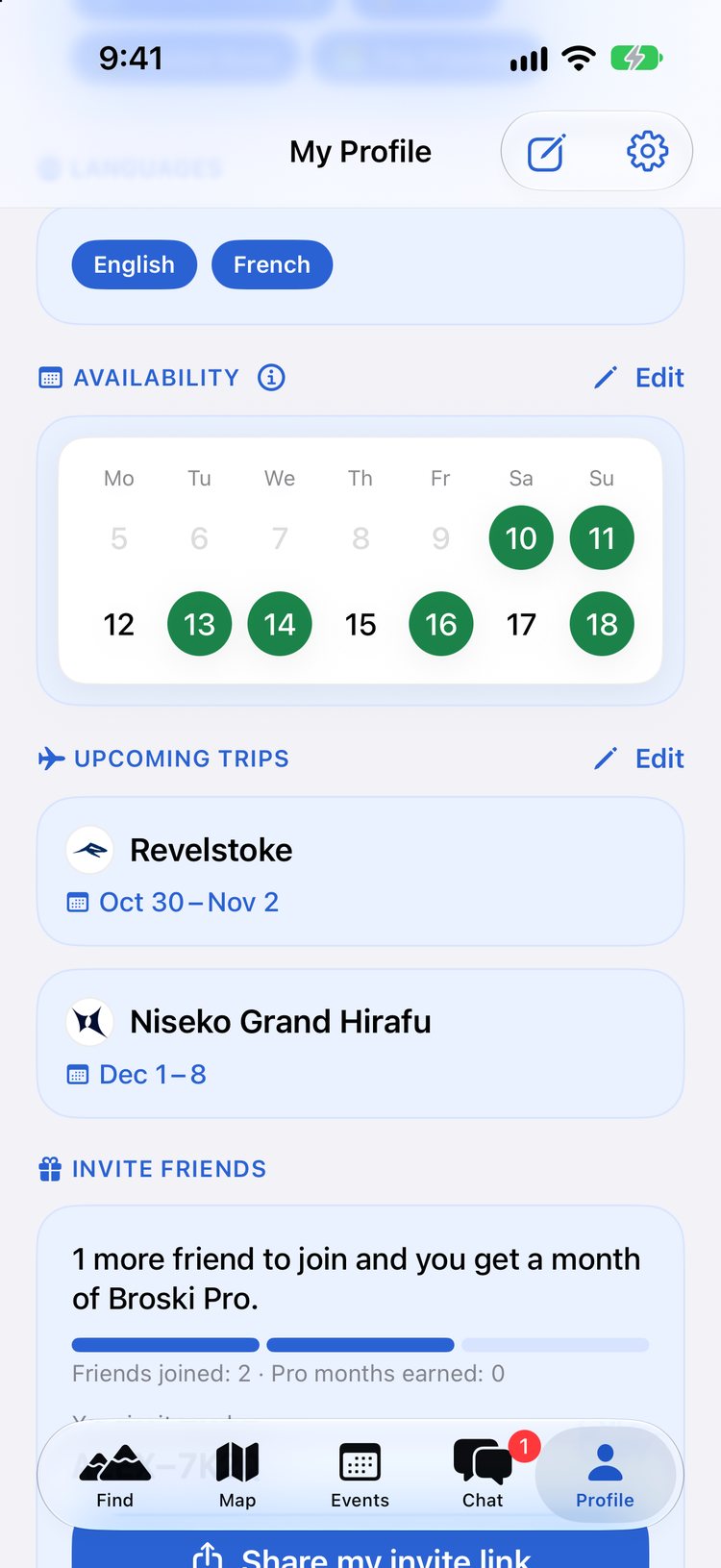
Mark the days you’re free, morning, afternoon or all day, and see who else is.
Join the resort chat
Every resort has a group chat. Ask who’s riding before work tomorrow.
Find the meetups
Join lift laps, après and opening-day meetups, or host your own.
Why meeting people on a ski season is harder than it looks
Everyone says a ski season is the most social winter of your life, and often it is. But the first few weeks can be lonely. Your housemates work different shifts, your colleagues are on the same roster as you rather than the same days off, and the people you meet at the bar aren’t always the ones who want first chair the next morning. Plenty of seasonaires spend their first days off riding alone.
How Broski helps you make friends on a ski season
Ride on your days off, not everyone else’s
Mark the days you’re free, and pick a date on the Find tab to see who’s riding your resort that day. Rosters change week to week, so availability is set day by day. Your profile shows your next two weeks, and when you open someone’s profile you’ll see how many of the same days you’re both free.
Find people who ride like you
Profiles show whether someone skis, snowboards or both, their level, how many seasons they’ve ridden, and their interests, from park laps to powder hunting to après. You can filter by ski or snowboard and ability for free, and Broski Pro adds filters like language, nationality and seasons riding.
Groups, not just one to one
Your resort has its own group chat, and so do pass crews like Epic and Ikon. Events cover lift laps, après and meetups, and you can see who’s going and who’s interested before you turn up. Broski also runs opening-day meetups at a number of resorts: see the 2026/27 opening days.
Planning trips during your season
Days off are a chance to ride somewhere new. Add a trip with the resort and dates, and riders there will see you’re in town. Free accounts can have one upcoming trip at a time; Broski Pro allows unlimited trips and availability at any resort.
Look after yourself
Meet new people somewhere public, like the base area, and get yourself home after après. Seasons can be tough as well as fun, and if you’re struggling, our Safety Tips list free support lines. For more ideas, read how to make friends during a ski season.
Questions and answers
I’ve just arrived and don’t know anyone. Where do I start?
Set your season resort as your home resort, mark your days off, and join your resort’s group chat. Then look at Events for anything coming up and send a few requests to riders who are free on your days.
My days off change every week. Does that work?
Yes. You mark availability day by day, so update it when your roster comes out. Riders see your next two weeks.
Can I meet people before my season starts?
Yes. Set your home resort to where you’ll be working and join its group chat, so you can say hi before you arrive.
Is it only for seasonaires?
No. Locals, weekend riders and people on holiday all use Broski, which is part of the fun: your season crew can include people who live there year-round.
More on riding with new people
- How to Make Friends During a Ski SeasonPractical ways to make friends during a ski season: first-week habits, staff housing, days off, group chats, meetups and keeping it going after day one.
- Ski and Snowboard Groups and Meetups Near YouFind ski and snowboard meetups near you: lift laps, après and opening days at your resort. See who's going, pick a skill level and join the chat.
- Find a Ski Buddy: Meet People to Ski WithLooking for a ski buddy? Broski shows who's skiing your resort on your days, matched by ability, at 3,500+ resorts. Free on iPhone and Android.
- Ski Resort Opening Days for the 2026/27 SeasonPlanned 2026/27 opening days for 33 ski resorts in North America and Japan, with official sources, plus a free Broski opening-day meetup at each one.
- Skiing Alone: Staying Safe and Finding People to Ride WithSkiing or snowboarding alone? How to ride solo safely, what to skip without a partner, and how to find people to ski with when you want company.
- Safety TipsHow to meet new riders safely and look after each other on the mountain.
Find your crew on Broski.
Download Broski free on iPhone or Android and see who’s riding your mountain on your days.