Groups and meetups
Ski and snowboard groups near you.
Not every day on the mountain needs to be planned with one person. Sometimes you just want to turn up and ride with a group. On Broski, riders host meetups at their resort, such as lift laps, après and opening days, and you can see who’s going, which levels it suits and chat with the group before you go.


How ski meetups work
Going or Interested
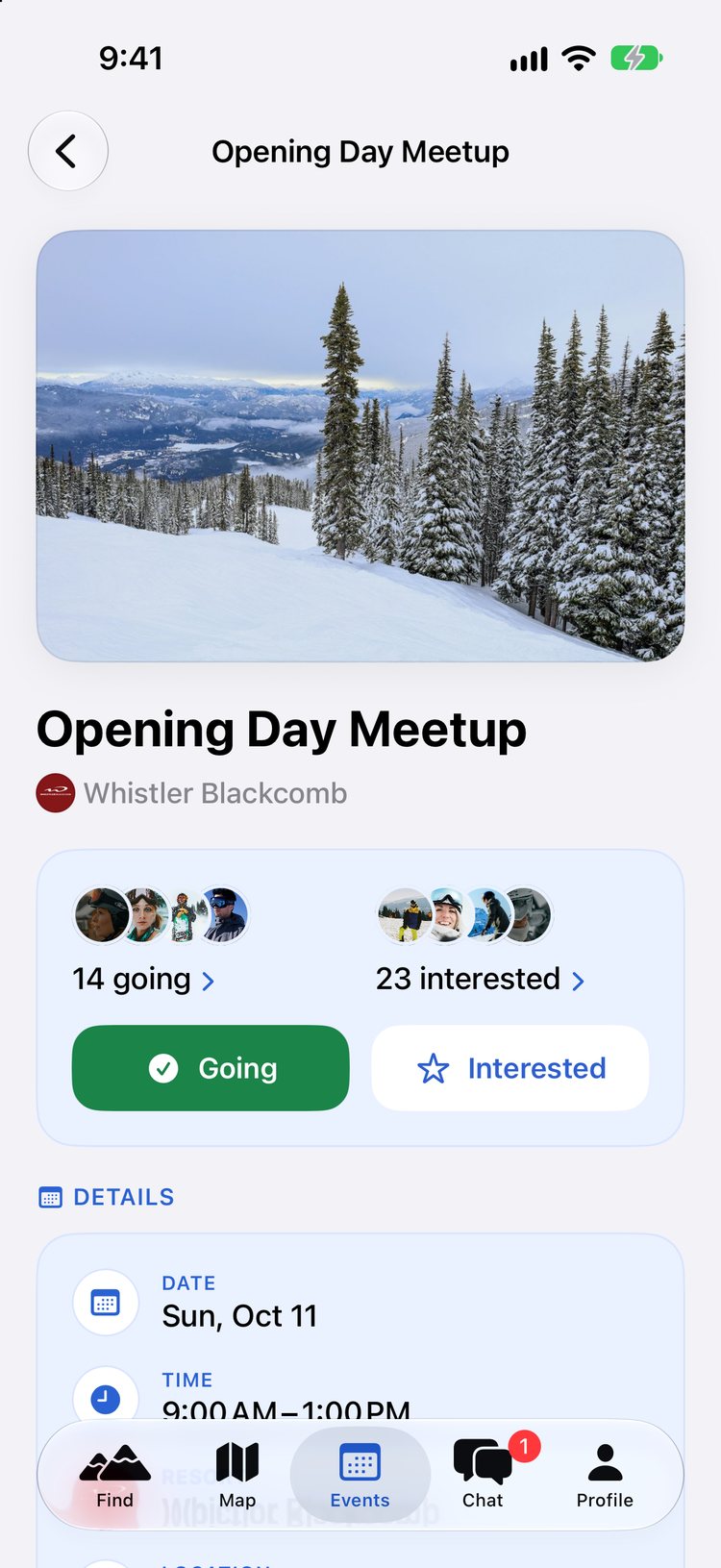
Say you’re going, or just interested, and see who else is.
Skill levels per event
Hosts say which levels a meetup suits, from beginner to expert, or all levels.
An event chat
Every event has a group chat to sort out where to meet and what to ride.
A reminder the night before
Get a heads-up the evening before, and add the event to your calendar.
Ski clubs, Facebook groups and the gap in between
Ski clubs are brilliant if their schedule suits you, but many run on set days, need a membership and focus on one mountain or one style of skiing. Facebook groups and forums are open to anyone, but posts get buried, half the replies are from people at the wrong resort, and you rarely know who’s really coming. If you want a ski or snowboard group for this Saturday, at your resort, at your level, you need something more specific.
How Broski events work
Find a meetup
The Events tab lists upcoming meetups at your resort, or anywhere you choose. Each event has a time, a meeting point, the skill levels it suits and tags like lift laps or après. Filter by skill level and interest to find the right group.
Going or Interested
Tap Going if you’re in, or Interested if you’re not sure yet. The event shows who’s going and who’s interested, so you can see whether it’s your kind of crowd before you turn up. You’ll get a reminder the evening before, and you can add the event to your calendar or share a link with friends.
Chat with the group
Every event has its own group chat, so the details don’t live in one person’s DMs. Use it to confirm the meeting spot, check conditions on the day and find people to ride with afterwards.
Host your own ski group
Can’t find what you want? Host it. Pick a resort, time and meeting point, choose the levels it suits and add a photo. Women can make an event women-only. Free accounts can host one event a week, and Broski Pro allows unlimited events. Joining events is always free.
Start the season together
Broski runs opening-day meetups at resorts across North America and Japan. See the 2026/27 opening days. And if a group ride feels like a lot for a first meetup, our guide to slope and chairlift etiquette covers how to ride well with people you’ve just met.
Questions and answers
How do I find ski groups near me?
Open the Events tab and choose your resort, or any resort. You can filter by skill level, by interest such as lift laps or après, and by events you’re going to or interested in.
Can I start my own ski group?
Yes. Create an event with a resort, time, meeting point and the skill levels it suits. Free accounts can host one event a week; Broski Pro allows unlimited events.
Can a club, shop or ski school host events?
Yes. When you create an event, choose Organization and add its name, and it shows as the organiser. If you run a club, shop or school and want to do more on Broski, email partners@broski.app.
Do I have to commit if I tap Going?
No. You can change your answer to Interested, or clear it, whenever your plans change. It just helps the host and everyone else know who to expect.
More on riding with new people
- Find a Ski Buddy: Meet People to Ski WithLooking for a ski buddy? Broski shows who's skiing your resort on your days, matched by ability, at 3,500+ resorts. Free on iPhone and Android.
- Women's Ski Groups: Find Women to Ski and Ride WithFind women to ski and snowboard with. Join or host women-only meetups on Broski, or find riders by resort, day and ability. Free on iPhone and Android.
- Ski Resort Opening Days for the 2026/27 SeasonPlanned 2026/27 opening days for 33 ski resorts in North America and Japan, with official sources, plus a free Broski opening-day meetup at each one.
- Doing a Ski Season? Meet People in Your Ski TownWorking a ski season or new in a ski town? Find seasonaires and locals to ride with, join resort chats and meetups, and fill your days off. Free on Broski.
- Slope and Chairlift Etiquette for Riding With New PeopleSlope and chairlift etiquette for riding with new people: the responsibility code basics, where to stop, lift lines, safety bars and regrouping.
- Broski ProAdvanced filters, availability at any resort, rider alerts and more. Broski stays free.
Find your crew on Broski.
Download Broski free on iPhone or Android and see who’s riding your mountain on your days.